
How a VPN Keeps You Safe on Public Wi-Fi
Public Wi-Fi is risky — here's how a VPN protects you. Stay secure at airports and coffee shops. #VPNOnTheGo #PublicWiFi #StaySafeOnline
In today's fast-paced digital world, staying connected is not just convenient; it's often necessary. Whether you're checking your emails at an airport, sharing vacation photos at a café, or working from a co-working space, public Wi-Fi networks offer a quick and easy way to get online. But with convenience comes risk. Using public Wi-Fi can expose you to cyber threats if proper precautions aren't taken. One effective method to safeguard your online activities is using a Virtual Private Network, or VPN. Here's a friendly guide on how a VPN can keep you safe when accessing public Wi-Fi and provide you with mobile security tips to enhance your internet safety.
What is Public Wi-Fi?
Public Wi-Fi is a wireless internet connection available in public places like hotels, airports, cafes, libraries, and shopping centers. These networks allow anyone with a Wi-Fi enabled device to connect to the internet, often with no or minimal restrictions. While convenient, this open access can easily become a playground for cybercriminals looking to intercept data.
Why is Public Wi-Fi Risky?
When you connect to a public Wi-Fi network, you share that connection with potentially hundreds of other users. This shared environment can allow hackers to access unsecured devices on the same network, intercept personal information, or perform "man-in-the-middle" attacks where they secretly relay and potentially alter communications between two parties. It's like having a conversation in a crowded room where you expect nobody will eavesdrop.
Enter VPN: Your Virtual Shield
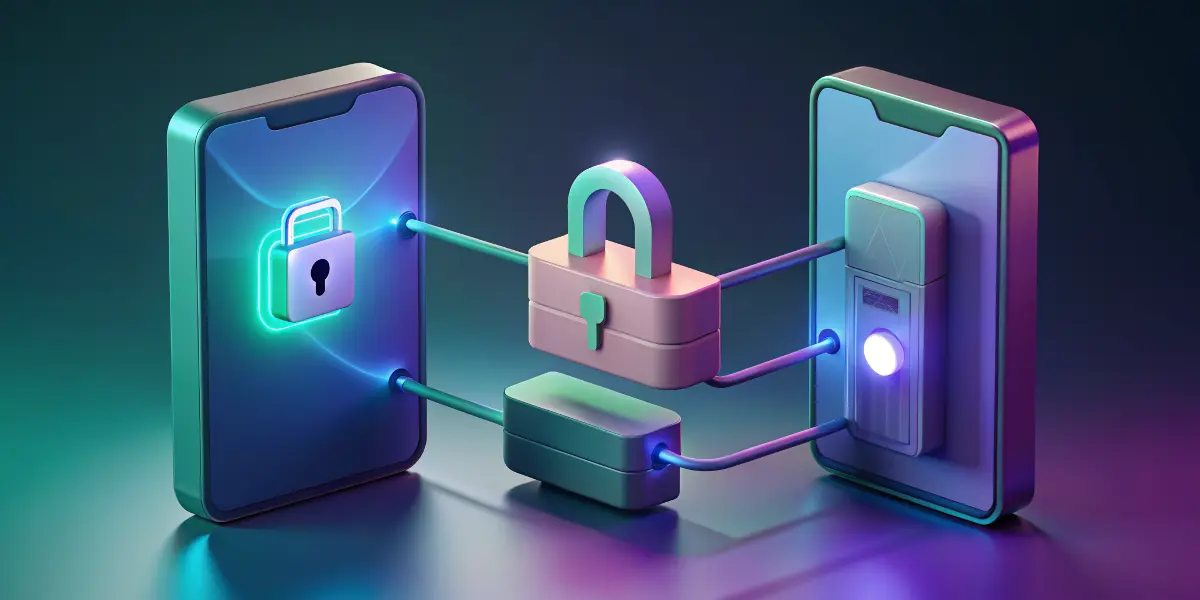
A VPN, or Virtual Private Network, is a service that creates a secure, encrypted connection over the internet. Think of it as a virtual tunnel that shields your internet activity from prying eyes. When you use a VPN, your data is tunneled through an encrypted connection to a secure server located elsewhere, masking your online activities and your true IP address.
How a VPN Protects You on Public Wi-Fi
Encryption of Data: VPNs encrypt your data, making it unreadable to anyone who might be trying to intercept it on the same network. This means that even if someone manages to snoop on your connection, they won't be able to understand or use the information.
Anonymity: Since your IP address is masked when using a VPN, it provides anonymity. It's as if you're browsing from a different location or device, making it more difficult for hackers to target you specifically.
Secure Connections: Most VPNs enforce HTTPS connections by default, which is more secure than the HTTP versions of websites. This added layer of security further protects you from threats like data theft or phishing attacks.
Prevention of Data Throttling: Some internet service providers (ISPs) limit your internet speed based on your data usage. A VPN can hide your data traffic from ISPs, potentially preventing speed throttling.
Tips for Using Public Wi-Fi Safely
While using a VPN is a strong defensive strategy, there are other behaviors you can adopt to enhance your safety:
- Always Use HTTPS: Ensure that websites you visit support HTTPS. Many web browsers now notify users if a site is not secure.
- Turn Off Sharing: Before connecting to a public network, disable any file sharing and public discovery settings on your device.
- Keep Software Updated: Ensure your devices have the latest security updates. Updates often contain patches for known vulnerabilities.
- Use Two-Factor Authentication: Whenever possible, enable two-factor authentication on your accounts to add an extra layer of security.
- Avoid Accessing Sensitive Information: When using public Wi-Fi, avoid logging into online banking or sharing sensitive information like credit card numbers.
Additional Mobile Security Tips
Beyond using a VPN and the aforementioned tips, consider these mobile security practices:
- Install Trusted Apps Only: Download apps from known, reputable sources like the App Store or Google Play.
- Review App Permissions: Be cautious about granting apps permissions to access sensitive information on your devices.
- Utilize Security Apps: Consider installing mobile security apps that offer anti-virus protection and other features like anti-theft measures.
Conclusion: Stay Safe, Stay Connected
In our interconnected world, using public Wi-Fi will remain a part of modern life. However, with increasing cyber threats, the importance of online security cannot be understated. By leveraging a VPN and practicing safe online habits, you can enjoy the convenience of public networks without compromising your personal information. Stay secure and savvy, whether you're sipping coffee or jet-setting across the globe with confidence knowing your digital footprint is secure.