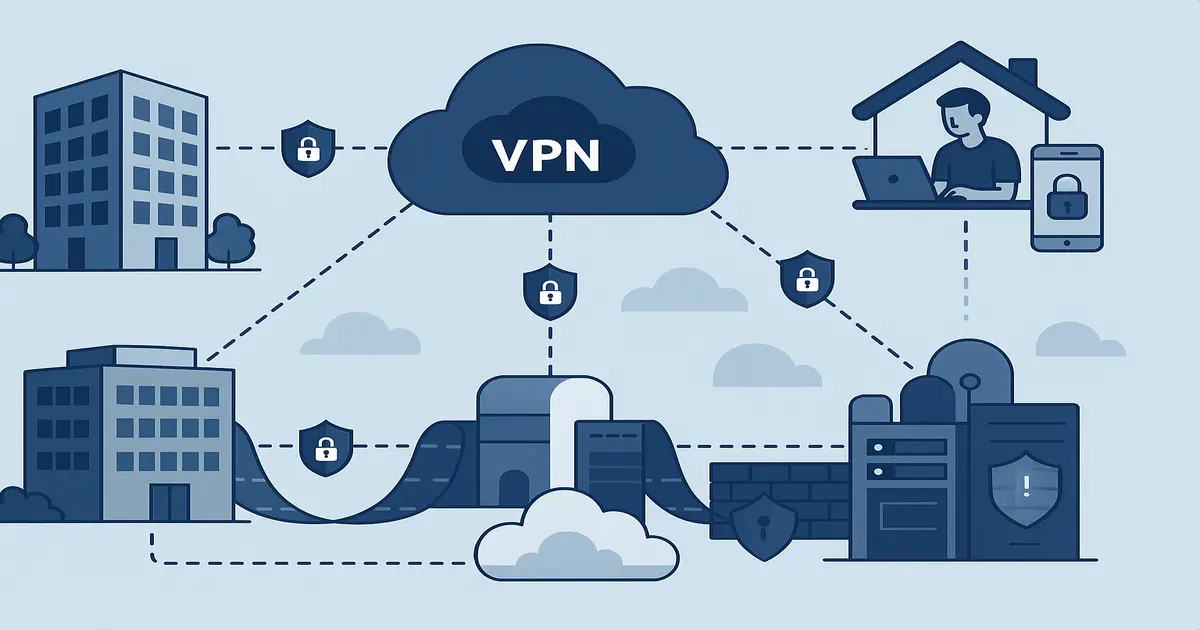

As remote work becomes the norm, businesses need robust VPN solutions to protect their data and maintain productivity. This comprehensive guide covers everything you need to know about business VPN setup in 2025.
Why Businesses Need VPNs
Remote Work Security
With employees working from various locations, traditional network perimeters no longer exist. VPNs create secure tunnels that protect business data regardless of where employees connect from.
Compliance Requirements
Many industries have strict data protection requirements:
- HIPAA (Healthcare)
- GDPR (European Union)
- SOX (Financial)
- PCI DSS (Payment processing)
Cost Savings
VPNs can reduce costs by:
- Eliminating need for dedicated lines
- Reducing travel expenses
- Enabling global talent acquisition
- Minimizing office space requirements
Types of Business VPN Solutions
1. Remote Access VPN
Best for: Individual employees connecting to company network
Features:
- Client-to-site connectivity
- User authentication
- Centralized management
- Device compatibility
2. Site-to-Site VPN
Best for: Connecting multiple office locations
Features:
- Office-to-office connectivity
- Always-on connections
- Network-to-network access
- Scalable architecture
3. Cloud VPN
Best for: Businesses using cloud infrastructure
Features:
- Cloud-native integration
- Automatic scaling
- Managed services
- Reduced maintenance
Business VPN Requirements
Security Features
- Enterprise-grade encryption: AES-256 minimum
- Multi-factor authentication: 2FA/MFA support
- Zero-trust architecture: Verify every connection
- Audit logging: Comprehensive activity logs
- Compliance certifications: SOC 2, ISO 27001
Management Features
- Centralized administration: Single management console
- User provisioning: Easy user management
- Policy enforcement: Granular access controls
- Monitoring and reporting: Real-time visibility
- Integration capabilities: SSO, LDAP, Active Directory
Performance Requirements
- Bandwidth: Sufficient for all users
- Latency: Low latency for real-time applications
- Reliability: 99.9%+ uptime SLA
- Scalability: Easy to add users and locations
Top Business VPN Providers
1. NordLayer (Business)
Best for: Small to medium businesses
Key Features:
- Dedicated business platform
- Team management tools
- SSO integration
- 24/7 business support
- Competitive pricing
Pricing: Starting at $7/user/month
2. Perimeter 81
Best for: Growing businesses
Key Features:
- Zero-trust network access
- Cloud-native architecture
- Advanced threat protection
- Network segmentation
- Comprehensive reporting
Pricing: Starting at $8/user/month
3. Cisco AnyConnect
Best for: Large enterprises
Key Features:
- Enterprise-grade security
- Advanced endpoint protection
- Granular policy controls
- Extensive integration options
- Global support
Pricing: Contact for enterprise pricing
Implementation Steps
Phase 1: Planning and Assessment
Assess current infrastructure
- Network topology
- Security requirements
- Compliance needs
- User requirements
Define requirements
- Number of users
- Bandwidth needs
- Security policies
- Integration requirements
Choose deployment model
- Cloud-based
- On-premises
- Hybrid approach
Phase 2: Provider Selection
Evaluate providers
- Security features
- Performance capabilities
- Management tools
- Support quality
- Pricing structure
Conduct pilot testing
- Test with small user group
- Evaluate performance
- Assess user experience
- Verify security features
Phase 3: Deployment
Infrastructure setup
- Configure VPN servers
- Set up authentication systems
- Implement security policies
- Configure monitoring tools
User onboarding
- Install client software
- Provide training
- Create user accounts
- Test connections
Phase 4: Management and Monitoring
Ongoing management
- Monitor performance
- Update security policies
- Manage user access
- Maintain compliance
Regular reviews
- Security assessments
- Performance optimization
- User feedback collection
- Technology updates
Security Best Practices
Access Controls
- Implement least privilege principle
- Use role-based access controls
- Regular access reviews
- Automated provisioning/deprovisioning
Authentication
- Enforce multi-factor authentication
- Use strong password policies
- Implement certificate-based authentication
- Regular credential rotation
Monitoring
- Real-time connection monitoring
- Anomaly detection
- Comprehensive logging
- Regular security audits
Updates and Maintenance
- Regular software updates
- Security patch management
- Configuration reviews
- Incident response procedures
Common Challenges and Solutions
Performance Issues
Challenge: Slow connection speeds
Solutions:
- Optimize server locations
- Upgrade bandwidth
- Use performance monitoring
- Implement QoS policies
User Adoption
Challenge: Employee resistance
Solutions:
- Provide comprehensive training
- Choose user-friendly solutions
- Communicate security benefits
- Offer ongoing support
Compliance
Challenge: Meeting regulatory requirements
Solutions:
- Choose compliant providers
- Implement proper logging
- Regular compliance audits
- Document security procedures
Cost Considerations
Factors Affecting Cost
- Number of users
- Bandwidth requirements
- Security features needed
- Management complexity
- Support requirements
Cost Optimization Tips
- Right-size your deployment
- Consider usage-based pricing
- Negotiate volume discounts
- Evaluate total cost of ownership
- Plan for growth
Future Trends
Zero Trust Architecture
Moving beyond traditional perimeter security to verify every connection and device.
SASE (Secure Access Service Edge)
Converging network and security functions in a cloud-native platform.
AI-Powered Security
Using artificial intelligence for threat detection and response.
Edge Computing Integration
Optimizing VPN performance for edge computing environments.
Conclusion
Implementing a business VPN requires careful planning, proper provider selection, and ongoing management. The key to success is understanding your specific requirements and choosing a solution that can grow with your business.
Prioritize security, performance, and user experience when making your decision. Remember that the cheapest option isn't always the best value – consider the total cost of ownership, including management overhead and potential security risks.
With the right VPN solution and proper implementation, businesses can securely enable remote work while maintaining productivity and compliance with regulatory requirements.